I’ve had pretty good luck creating parametric dropouts that mostly update as frame geometry is changed by creating a bunch of surfaces and using a combination of patch, loft, and sweep to create a surface body, stitch to create a solid body, and finally shell to create a hollow internal void.
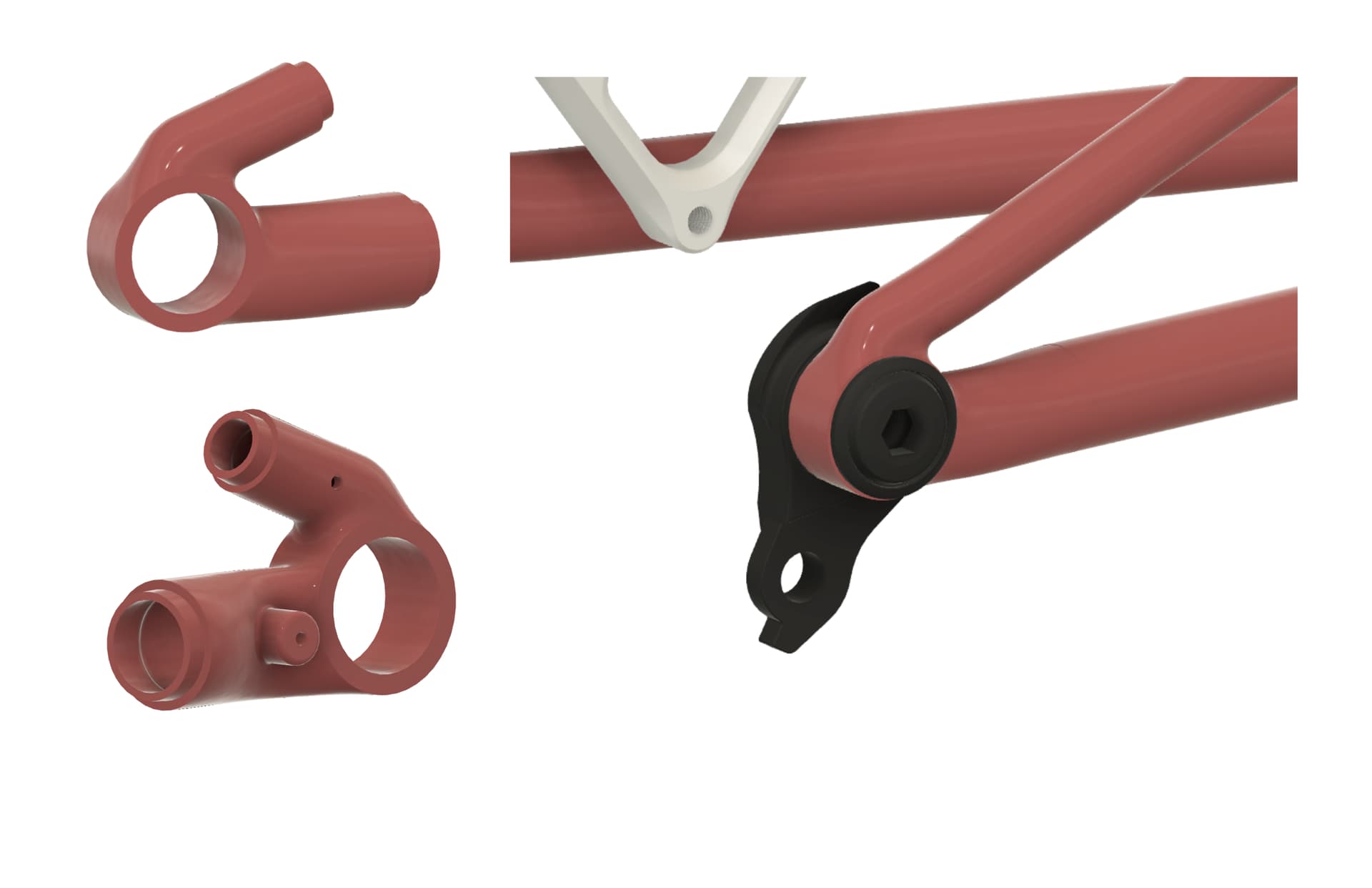
The image below shows my overall workflow for this dropout. Like Lars mentioned above, I really like drawing my chain stay and seat stay center lines tangent to the outer diameter of my dropout. I also like to keep my dropout OD relatively similar to the UDH Bolt 25-26mm OD to avoid something super chunky.
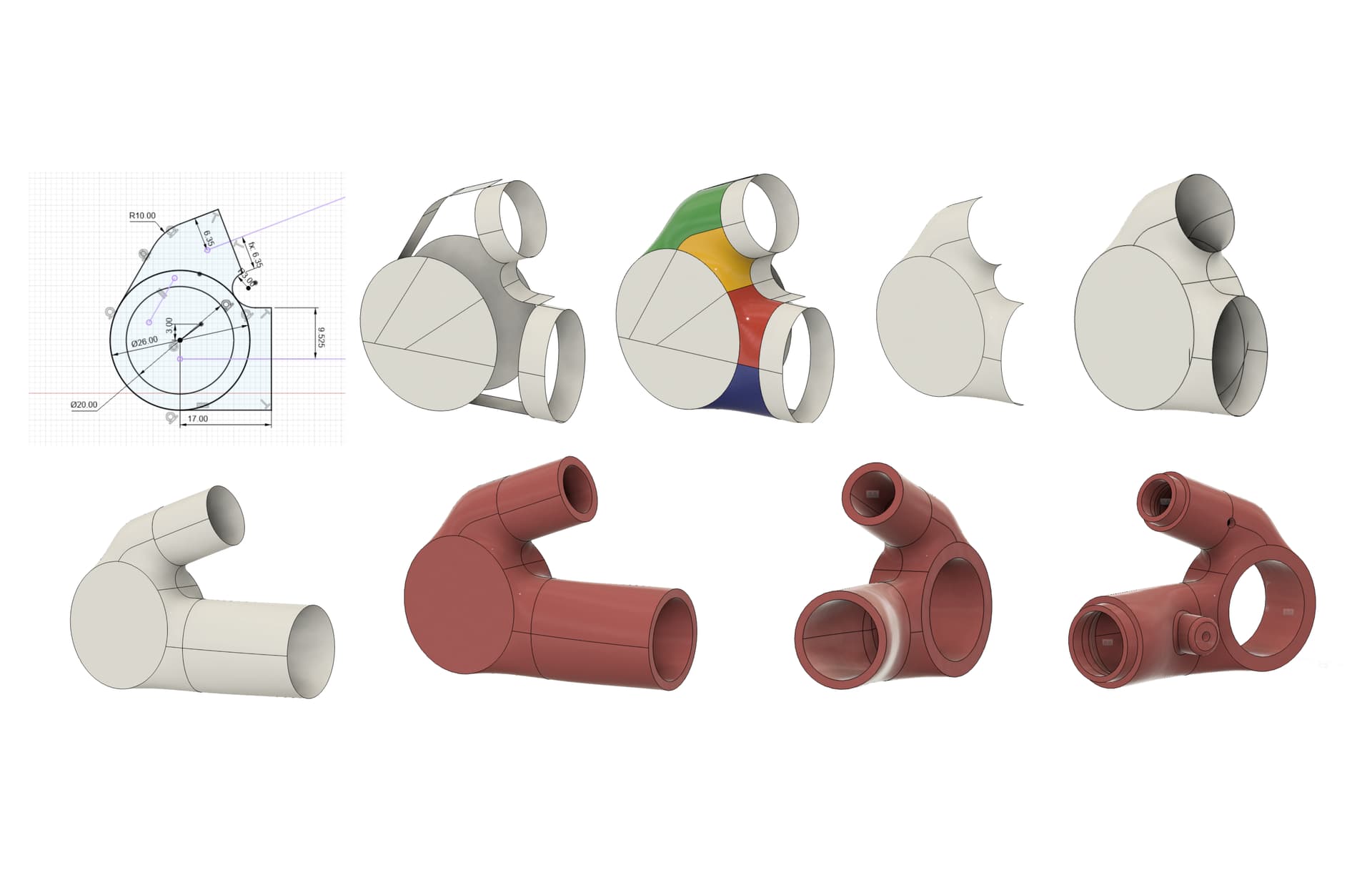
First step is creating a fully-defined 2D silhouette of the dropout and using this as a reference to create elliptical/circular/flat surfaces that I use as reference geometry when creating surfaces. I usually try to use guide surfaces rather than 3D splines or sketch lines as I can set G1 (tangent) or G2 (curvature) continuity to make sure there isn’t an obvious crease or geometric discontinuity between surfaces that should flow nicely together. I’ve found maintaining G1/G2 continuity when surfacing also helps Fusion figure out how to fillet internal edges after you’ve shelled out the dropout.
Image 3 shows the various patch surfaces I use (green, yellow, red, blue) to create the organic surfaces on the dropout. I then remove the guide surfaces and stitch together all the surfaces I want to keep. If my dropout is symmetrical, I’ll only surface one side and then mirror my geometry. I then use the loft command to connect the ends of my dropout to my seat stays and chain stays (often drawn as 2D or 3D sketches).
Finally, I’ll patch the very ends of my dropout and use the stitch command to create a solid body. I then use the shell command to create a hollow internal cavity and go in and fillet all internal corners (usually with chord length fillet rather than constant). This is also when I add other features like purge/vent holes, rotation stop nubs for UDH hangers, and UDH bores (I increase the wall thickness on the UDH bore section compared to the rest of the dropout body).
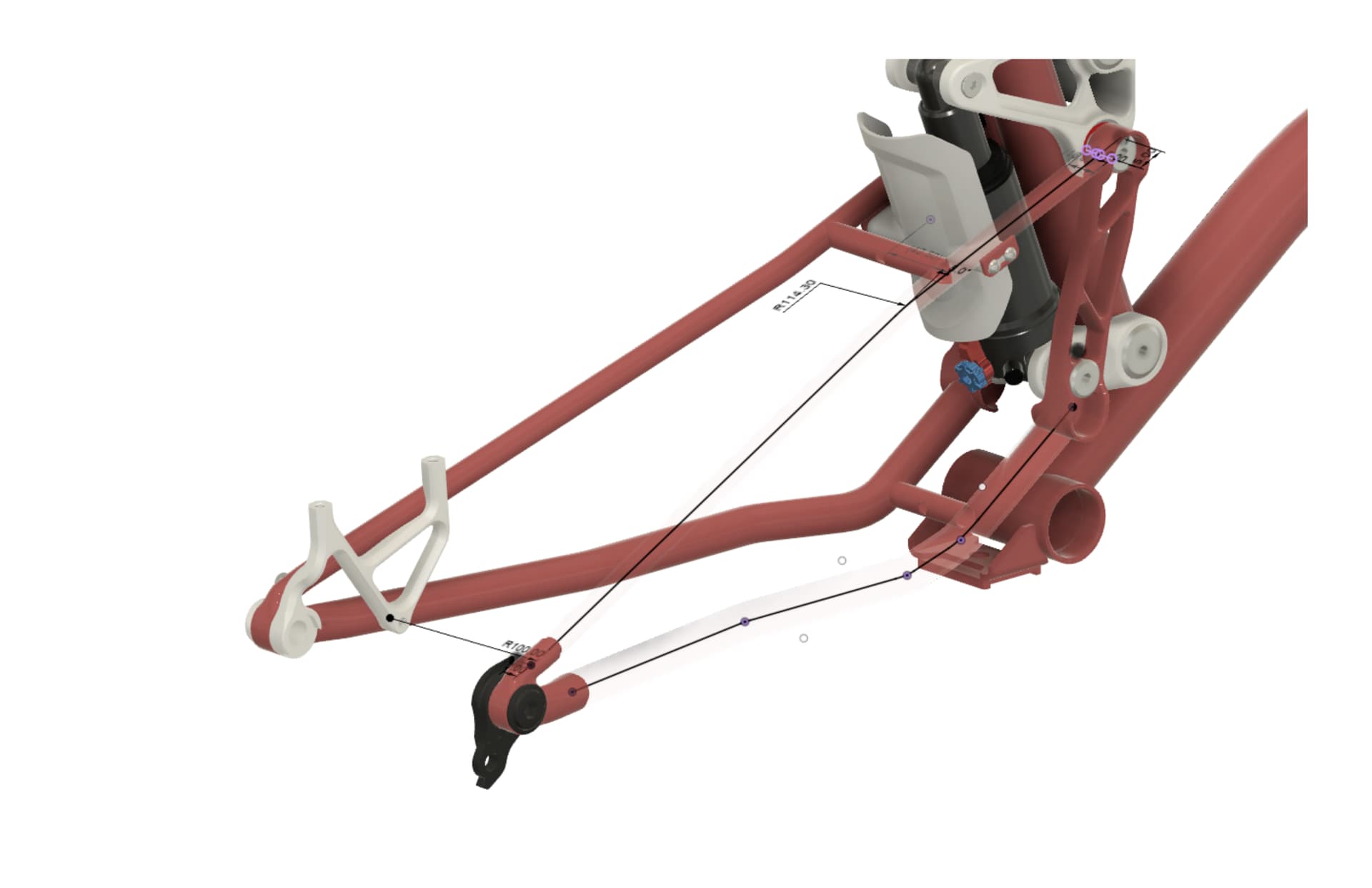
Here’s an example of the 2D (seat stay) and 3D (chain stay) sketches I use to connect to the dropout. I unfortunately can’t attach a .f3d since most of my models use derived/inserted components but I’ve attached a .step file. Happy to add info here too! I’ve learned so much about surface modeling from reading and watching others in the community.
DS Dropout.step (2.3 MB)